Introduzione

  1. En1v6cakAgSmHnaS
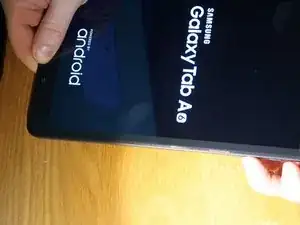
    • Spegni il tablet.

  2. TZ5SjpHjSNW5KPLj
    TZ5SjpHjSNW5KPLj
    bBm3kwQXUhjLMEmJ
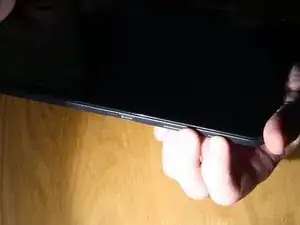
    • Tieni premuti i tasti Home, di accensione e volume su.

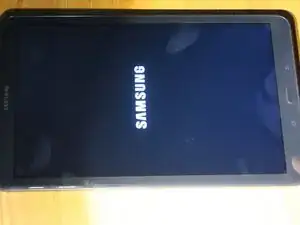
    • Quando appare il logo Samsung sullo schermo, rilascia il tasto di accensione.

    What to do when this doesn't work

    phalstead52 -

    Cristianbiondani

    Cristian Biondani -

    Factory reset did not work for me. I'm guessing because my tablet never powered off - it just sat there with the Samsung logo. I rebooted it (Power + Vol Down) and then held the Power + Vol Up + Home hoping to catch just that right moment when it was cycling power. After a few tries it worked and I was finally able to get to the Factory Reset screen. From there:

    Wipe Data / Factory Reset

    Reboot System Now

    (To be honest, I was trying every variation of buttons because nothing worked. When I held down BOTH Volume buttons plus Power and Home, it ignored the Volume Up and just rebooted the device. From there it was easy to just lift my finger off the Volume Down button. Like I said, I had to time things right when the screen went black and then it finally worked.)

    Rob -

  3. UpoYaFBHZMoXV2df
    UpoYaFBHZMoXV2df
    wVZa4AXAPSVhcWcm
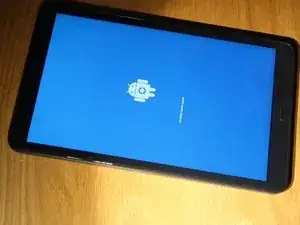
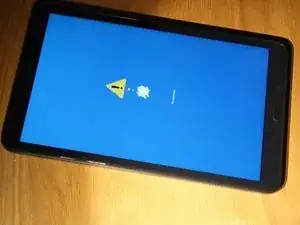
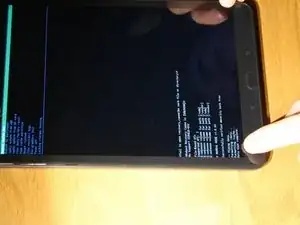
    • Vedrai una schermata che dice "installing system updates" seguita da una con scritto "no command". Non premere nulla durante queste schermate: aspetta e basta.

    Cristianbiondani

    Cristian Biondani -

  4. fPNbg5ZBqYpJmylC
    fPNbg5ZBqYpJmylC
    BHlxPZNKYrCeMCLw
    OVkSruIEHpLjHDYO
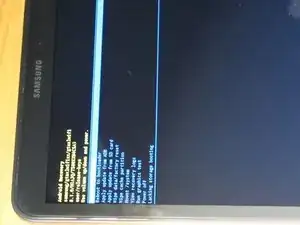
    • Quando vedi questa schermata, usa il tasto volume giù per evidenziare "Wipe Data / Factory Reset".

    • Premi il tasto di accensione per selezionarlo.

    • Ripeti la stessa procedura per selezionare "yes" nella schermata successiva.

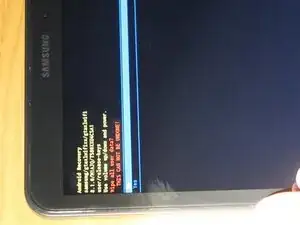
    • Vedrai la conferma del ripristino nella parte inferiore dello schermo.

  5. xLL2iSjcURRNh5kV
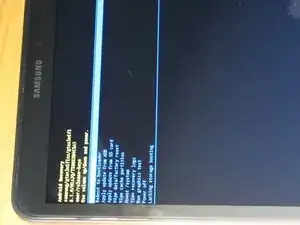
    • Premi il tasto volume su e seleziona "Reboot System Now".

    • Il dispositivo si riavvierà ed avrai finito.

    Thank you for your succinct, easy-to-follow. instructions and pictures. The method you explained worked perfectly and exactly as you said. Ifixit will definitely be the website I go to first and recommend for IT queries!

    r.caldwell71 -

    Ciao e bello

    Cristian Biondani -

    Invece di fare il reboot il mio purtroppo ritorna alla scritta Galaxy Tab A...

    info -

Conclusione

Per rimontare il tuo dispositivo, segui le istruzioni in ordine inverso.

Nick Myers

Membro da: 15/04/18

3398 Reputazione

6 commenti

Sistema resprinare

Cristian Biondani -

Nice bro hard

Arvind Surliya -

Thank you. Clear and precise.

Kylie Docherty -

Este tablet da empresa e está bloqueado e mesmo com o reset continua a não permitir o seu uso total, ficando sujeito apenas às APP que se instalam automaticamente... É possível resetar mesmo de raiz?

Bruno Ferreira -

It still requires the original email login when it reboots however. So this is not a good fix.

SWYPR Music -

Thanks dude!! System up👍 and running fineeee!! 😬

Lorie Bolden -