Introduzione
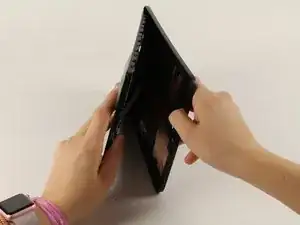
Per sostituire le altre componenti del tuo Samsung Galaxy Tab A 10.1 dovrai prima aprire il retro del dispositivo. Questa guida ti mostrerà come rimuovere la copertura posteriore del tuo dispositivo.
Strumenti

Ricambi
-
-
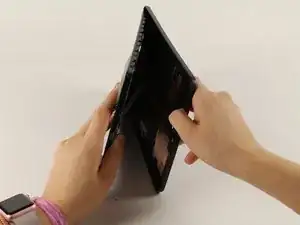
Appoggia il dispositivo con lo schermo rivolto verso l'alto.
-
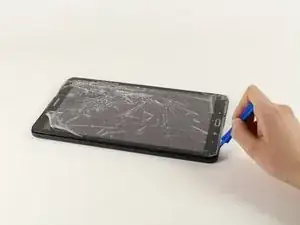
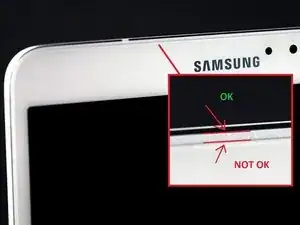
Inizia vicino ad uno dei bordi curvi del dispositivo(usa la seconda immagine come esempio).
-
Infila uno strumento di apertura in plastica tra la copertura posteriore e quella anteriore.
-
-
-
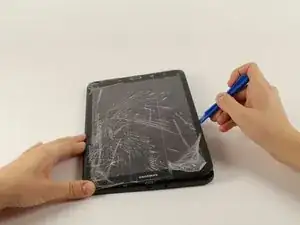
Una volta che lo strumento di apertura in plastica è stato infilato, usalo per fare leva lungo i bordi del dispositivo per separare la copertura posteriore.
-
Rimuovi la copertura posteriore dal dispositivo.
-
Per rimontare il dispositivo, segui le istruzioni in ordine inverso.
Un commento
Why need to remove cables when only the back has to be replaced ?
nabe_03 -
AWESOME!! I was trying to open it from the “NOT OK” place and you saved me to broken the screen… thanks!!
David Leiva -
No problem, enjoy.
Roger L. Ortiz -
Felt it was easier for me to do it from the middles out.
Tanin Garcia -
@rogerlortiz You two seem to be miscommunicating. The author points out the location between the digitizer and frame in which to place a tool. While @Tanin Garcia, whom no longer seems to be member, was pointing out where along the edge from corner to corner it was best to start the separating process.
B. A. Computer Services -
Important: the display is sourrounded with a plastic frame. You need to get beween this frame an the backcover (not directly at glass edge as I tried it first and almost broke the glass). Get a closeup picture of it to clarify.
Oliver Dawid -
wer lesen kann, ist klar im Vorteil - ich hab die SD-Karte drin gelassen. Hat aber funktioniert…
Thomas Wolter -
Don’t use a very small flathead screwdriver as a spudger. Just shattered the screen :(
nikvoss -
Yes, shattered the screen. To the garbage, it goes. A little knowledge is a dangerous thing. This a repair better suited for a professional repair! Thanks for helping me make the decision to get another one!
vancega -